Medium · English
How Does an AI Know What You Are Writing?
The small workspace problem that decides whether an AI feels like a writing partner or just another chat box.
dmeck zhang · · 10 min read
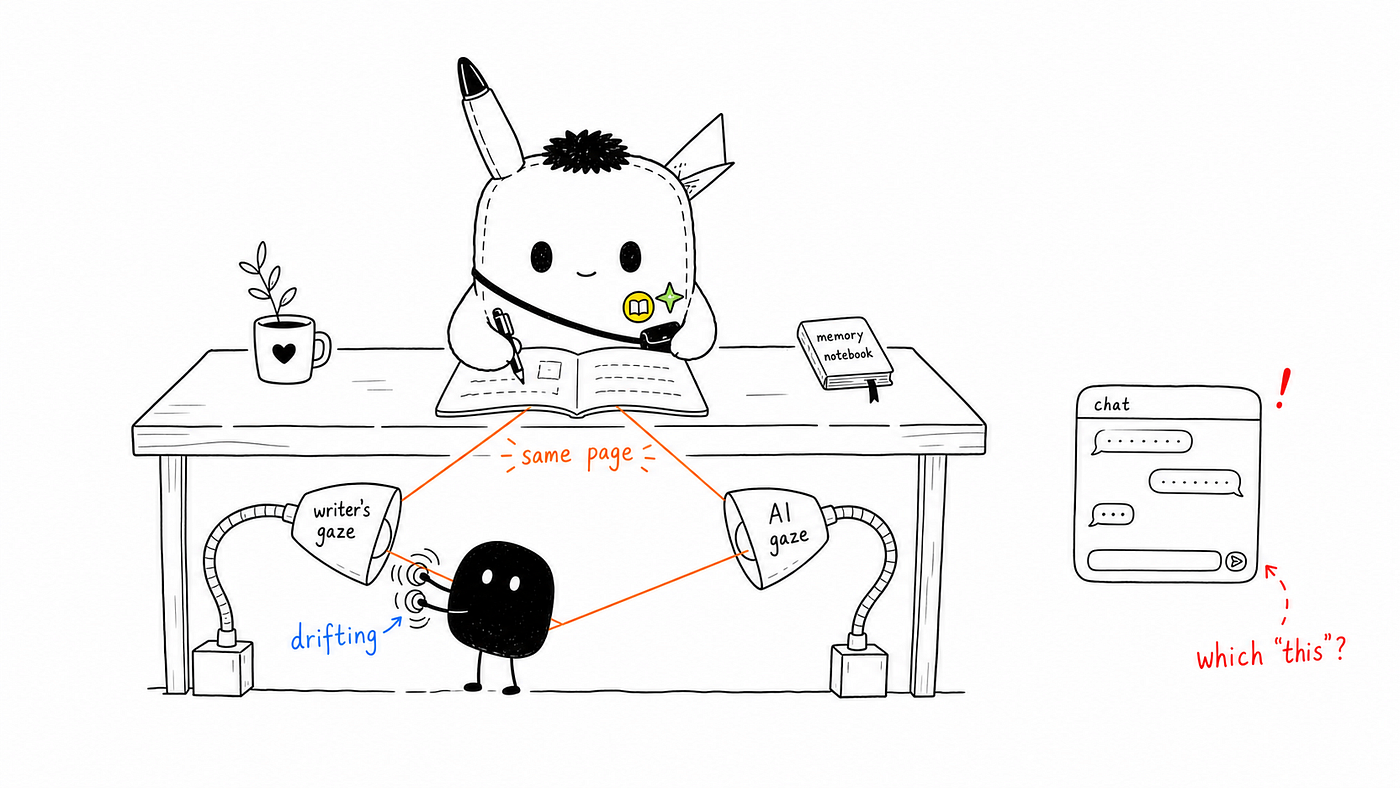
Ink & Memory began with a simple product idea: you write, and the AI reads. Not in the vague sense of “AI helps you write”, and not as another knowledge management system filled with links, tags, folders, and dashboards. The premise is much smaller. You write something down, the AI can see what you are working on, and when it responds, it responds to the right piece of writing. That sounds almost too obvious to be a design problem, but the moment a user has more than one document, it becomes one of the most important interaction problems in the product.
If the AI cannot see the current document, it is just a chat box sitting next to an editor. If it can see a document but does not know the user has switched to another one, it may comment on yesterday’s journal while the user is asking about today’s product note. The user’s question might be as simple as “Can you look at this?”, but for the AI, the word “this” only makes sense if the workspace has already aligned its attention with the user’s attention. This is the real purpose of the workspace in Ink & Memory. It is not mainly a feature category or a technical module. It is the layer that makes shared attention possible.
The AI needs to look at the same page as the writer
In Ink & Memory, the editor and the AI chat are not meant to be two independent tools placed side by side. They are two sides of the same writing space. On one side, the user writes. On the other side, the AI reads, responds, suggests, and sometimes helps revise. The difficulty is that these two sides live in different parts of the system. The editor state may exist in the browser. The AI runs on the backend. The document may also exist in a database. A conventional engineering approach would be to let the AI query the database whenever it needs context, but that creates the wrong mental model for a writing companion.
For an AI assistant, “reading a database record” and “reading the page in front of the user” are very different interaction models. A database record suggests retrieval. A page suggests presence. We wanted the AI to behave less like a backend service fetching data and more like someone sitting beside the writer, looking at the same draft. So the AI is given the current editor state as if it were reading a file: .editor/cells.json. This file does not need to exist as a normal file on disk. It acts as a live mirror of the editor. The AI thinks it is reading a document file, but what it is really seeing is the content currently open in the writing space.
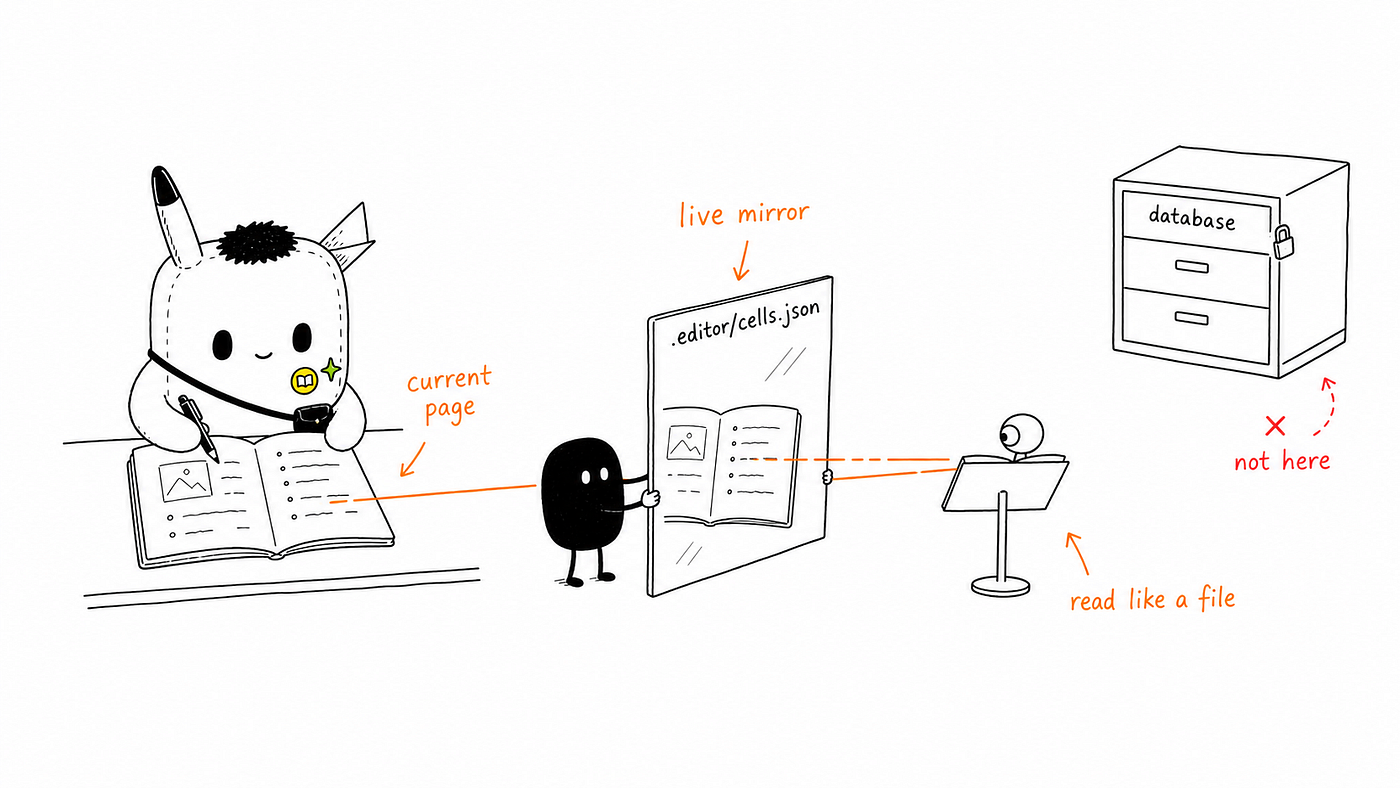
This design choice is small, but it changes the whole interaction. The AI is not asked to understand the entire product database. It is asked to read the current page. That keeps the context concrete and reduces the number of ways the AI can misunderstand what the user means. The goal is not to expose system internals to the model. The goal is to give the model a simple, stable, human-shaped view of the work: here is the page the user is looking at; respond to that.
Switching documents should feel like shifting attention, not performing an operation
If there were only one document, the problem would be easy. The AI would always know what to read. Real writing does not work like that. A user may write a journal entry in the morning, open a workspace design note in the afternoon, then return to an older draft at night. They may keep the same conversation thread open while switching between documents, or they may start a new conversation while looking at the same document. These are normal behaviours, not edge cases. The system has to treat them as part of the writing flow.
One possible solution is to ask the user to explicitly tell the AI which document they are working on. That is clear, but awkward. It shifts the burden of context management onto the writer. The user would have to remember not only to open the right document, but also to notify the AI that the document has changed. That breaks the illusion of a shared workspace. In a real writing session, when you turn from one page to another, you do not issue a formal command to your own attention. You simply look at a different page.
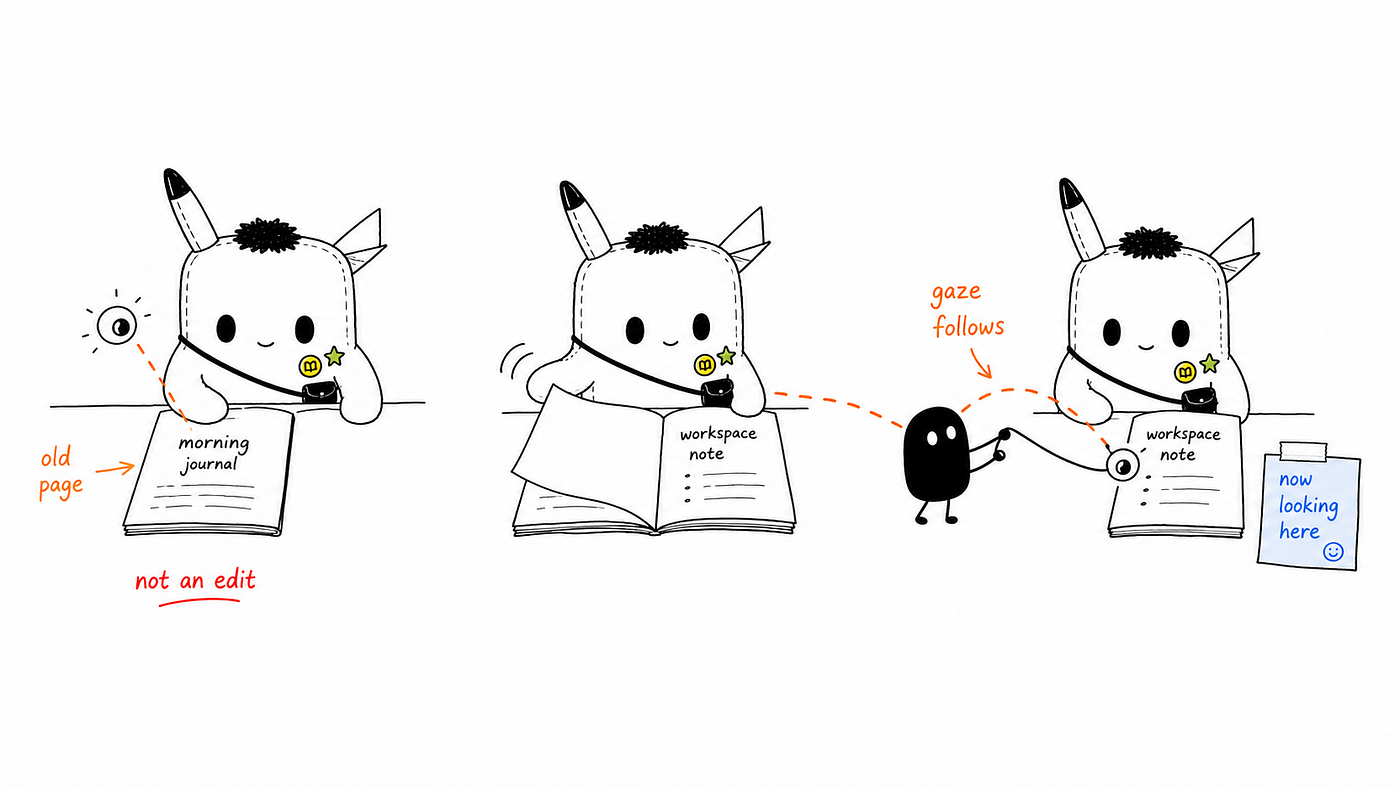
This is why switch_editor should not be treated as an editing action. It does not create, delete, or modify content. It only changes what the AI is currently looking at. It is closer to a shift of gaze than a change of data. Because of that, it should be lightweight. It should not require a confirmation dialog, and it should not feel risky. At the same time, it should leave a visible trace. After switching, the AI should be able to say, in a quiet and useful way, “I’m now looking at ‘Workspace State Management’.” That confirmation is not decoration. It closes the loop and tells the user that the AI’s attention has followed them.
The AI can read the document, but it should not silently change it
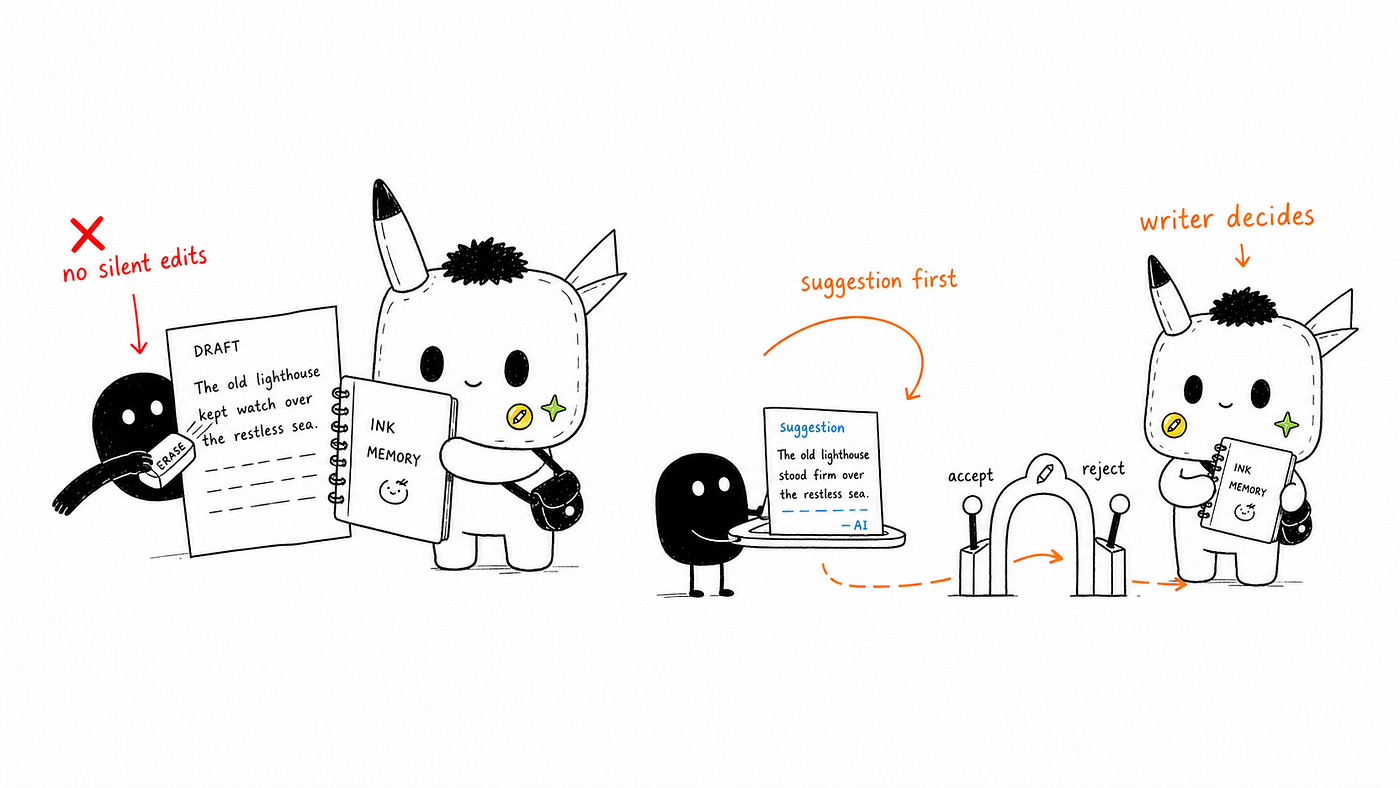
Once the AI can read the editor through .editor/cells.json, a tempting next step is to let it write to the same file. From a system design perspective, that seems efficient. The AI already sees the document, so why not let it update the file directly and refresh the editor? The problem is not technical feasibility. The problem is authorship. Writing is sensitive work. A single sentence can carry tone, hesitation, rhythm, privacy, and intent. If the AI quietly changes a paragraph, the user may not notice. If it removes a section, the user may only realise later. Even when the AI improves the surface quality of the writing, it can weaken the user’s voice.
So Ink & Memory draws a hard boundary: the AI can read the document, but it cannot silently change it. Any edit must pass through a visible interaction. The user should see what the AI wants to change, why it wants to change it, and what the result will look like. This is not about making the product slower. It is about keeping control where it belongs. A writing assistant can suggest, rewrite, restructure, compress, expand, and clean up. But the final movement from suggestion to document should remain visible to the writer.
There is another important detail. After the user accepts an AI edit, the AI should read the document again. At first this sounds redundant. The AI already knows what it changed. But knowing the change is not the same as seeing the whole document after the change. Human writers do this all the time. After editing a paragraph, we read the surrounding text again to check rhythm, continuity, and tone. The AI should follow the same pattern. Once an accepted edit lands, the full document becomes the source of truth again, and the AI should refresh its view before continuing the conversation.
Workspace state is really shared attention
A workspace can easily become crowded with technical state: frontend snapshots, backend records, cache layers, editor sessions, thread IDs, database IDs, streaming events, and file-like projections. All of these matter to the implementation. Almost none of them matter to the writer. From the product perspective, there are only two states that truly matter: what the user is looking at, and what the AI is looking at.
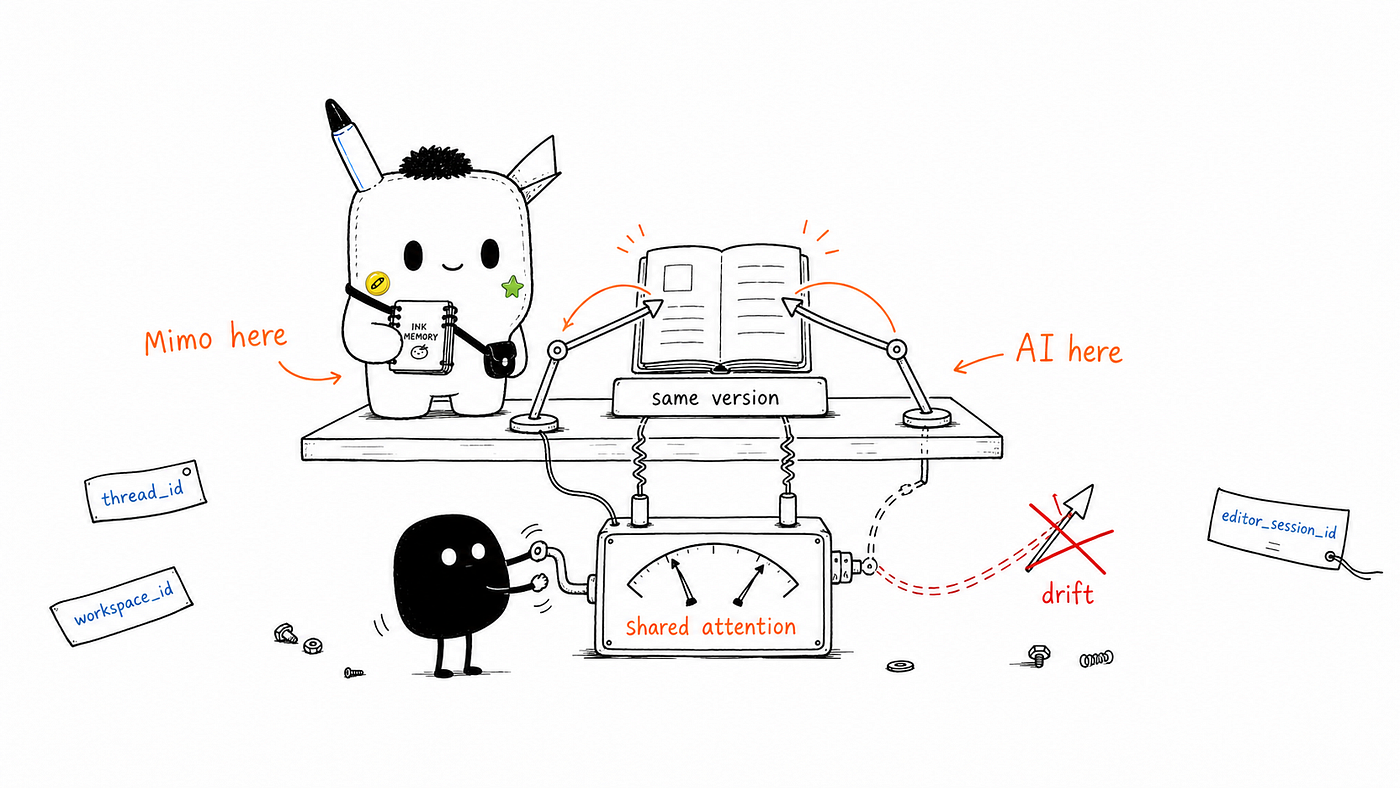
When those two states are aligned, the product feels natural. The user opens a document, asks a question, and the AI responds to the right thing. When those two states drift apart, the product starts to feel broken even if every individual service is technically working. The user may switch to a new note while the AI still reasons over the previous one. The AI may refer to a draft the user no longer has open. An edit may be accepted, but the assistant may continue speaking as though it is looking at the older version. These are not only sync bugs. They are failures of shared attention.
That framing changes the design requirement. The workspace is not just a state machine. It is an attention synchronisation layer. Its job is to make sure that when the user moves to another document, the AI follows; when the AI refers to a document, the user knows which document it means; when the AI proposes a change, the user sees it before it lands; and when the document changes, both sides return to the same version. The implementation may involve files, sessions, caches, and events, but the user experience should remain simple: the AI is looking where I am looking.
Naming is part of the interaction design
One thing we learned while designing this system is that names are not neutral. A badly named parameter can push developers and AI agents into the wrong mental model. If editor_session_id is called file_id, the AI may start treating it like a filesystem path. If a conversation thread and an editor document both use a vague name like session, it becomes easy to confuse a chat context with a writing context. The user can switch documents while staying in the same conversation, and they can start a new conversation while keeping the same document open. Those are separate ideas and they need separate names.
In this workspace, three concepts must stay distinct: the conversation thread, the workspace directory, and the document currently open in the editor. A thread_id should mean the conversation. A workspace_id should mean the working environment. An editor_session_id should mean the active editor document. This may look like ordinary naming hygiene, but in AI products it has a deeper effect. The model reads names as cues. Developers read names as assumptions. Prompt writers read names as behaviour contracts. When the names are vague, the system becomes harder to reason about, and the AI becomes easier to misdirect.
This is why naming should be treated as part of the interface, not just part of the codebase. Clear names reduce mistakes before they happen. They also reduce the amount of prompt engineering needed to make the AI behave sensibly. If the system’s own vocabulary is precise, the AI has fewer opportunities to invent the wrong relationship between documents, conversations, and workspaces.
The workspace must also handle the absence of a document
A writing product also needs to handle a simple but often overlooked case: sometimes the user just wants to chat. There may be no open document, no active editor, and no current draft. That should be a valid state, not an error. If the AI expects a document and receives nothing, it may ask the user to open a file, produce a system-like error, or worse, pretend it has context that it does not have. All of these break trust.
The fallback needs to be explicit. When there is no open document, .editor/cells.json can be represented as an empty object: {}. The system prompt should explain what that means: if the editor file is empty, there is no active document, so continue as a normal chat. This small rule protects the experience. The user should not have to open a document before speaking to the AI, and the AI should not assume that every conversation must be attached to a page.
This also keeps the product from becoming too rigid. Ink & Memory is a writing space, but conversation does not always begin from a document. Sometimes a user is thinking aloud. Sometimes they are asking a product question. Sometimes they are not ready to write yet. A good workspace should support all of those states without making the user manage the system.
A good workspace should almost disappear
The workspace design in Ink & Memory is not mainly about exposing architecture. It is about making the AI properly situated in the writing experience. The writer should not have to manage the AI’s attention manually. The AI should not guess which document matters. The editor should not be silently changed. The conversation should not drift away from the page. The user should feel that the AI is beside the writing, not floating somewhere outside it.
That leads to a small set of rules. Let the AI read the current editor as if it were reading a file. Treat document switching as a shift of attention, not an edit. Make every AI-generated change visible before it lands. After accepted changes, let the AI read the document again. Use precise names so the AI does not confuse documents, threads, and workspaces. Allow the absence of a document to be a valid state.
None of this is dramatic. It should not be dramatic. A good workspace should almost disappear. The user writes. The AI reads the right thing. When the user moves, the AI follows. When the AI wants to change something, it asks first. When there is nothing to read, it simply talks. That is the interaction we are trying to build with Ink & Memory: not an AI that takes over the page, but an AI that knows where the page is.
